Are you tired of waiting for your computer to boot up or for applications to load? It may be time to consider upgrading to an SSD drive.
In this article, we will discuss what an SSD drive is and how it differs from traditional hard disk drives.
We will explore the various benefits that businesses can experience by making the switch, including increased productivity, cost savings, and reduced downtime.
Whether you are a small business, medium-sized enterprise, or large corporation, upgrading to SSD drives can transform the way you work.
Stay tuned to learn more about how SSD drives can save time for your business and how to make the switch seamlessly.
TL:DR;
- Upgrading to SSD drives can save businesses time by significantly reducing boot-up time, application launch speed, and file transfer speeds.
- With increased productivity and reduced downtime, businesses can see cost savings by upgrading to SSD drives.
- Businesses of all sizes and industries, including remote and mobile workers, can benefit from upgrading to SSD drives for improved performance and efficiency.
What is an SSD Drive?
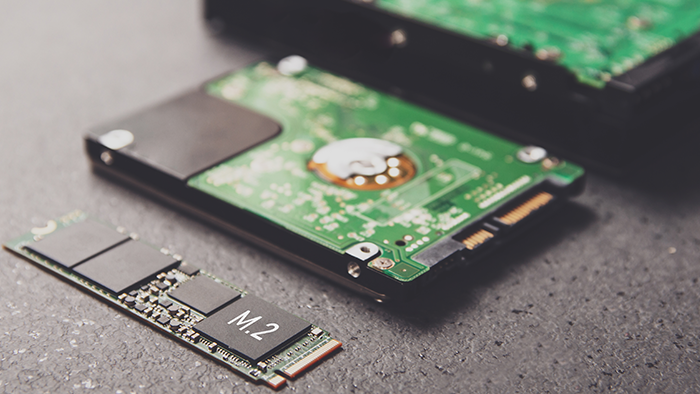
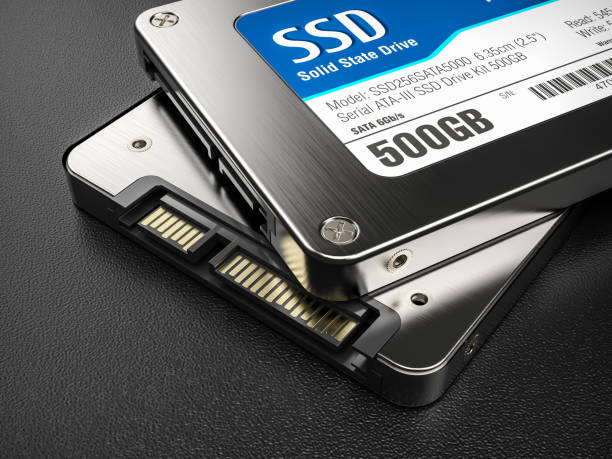
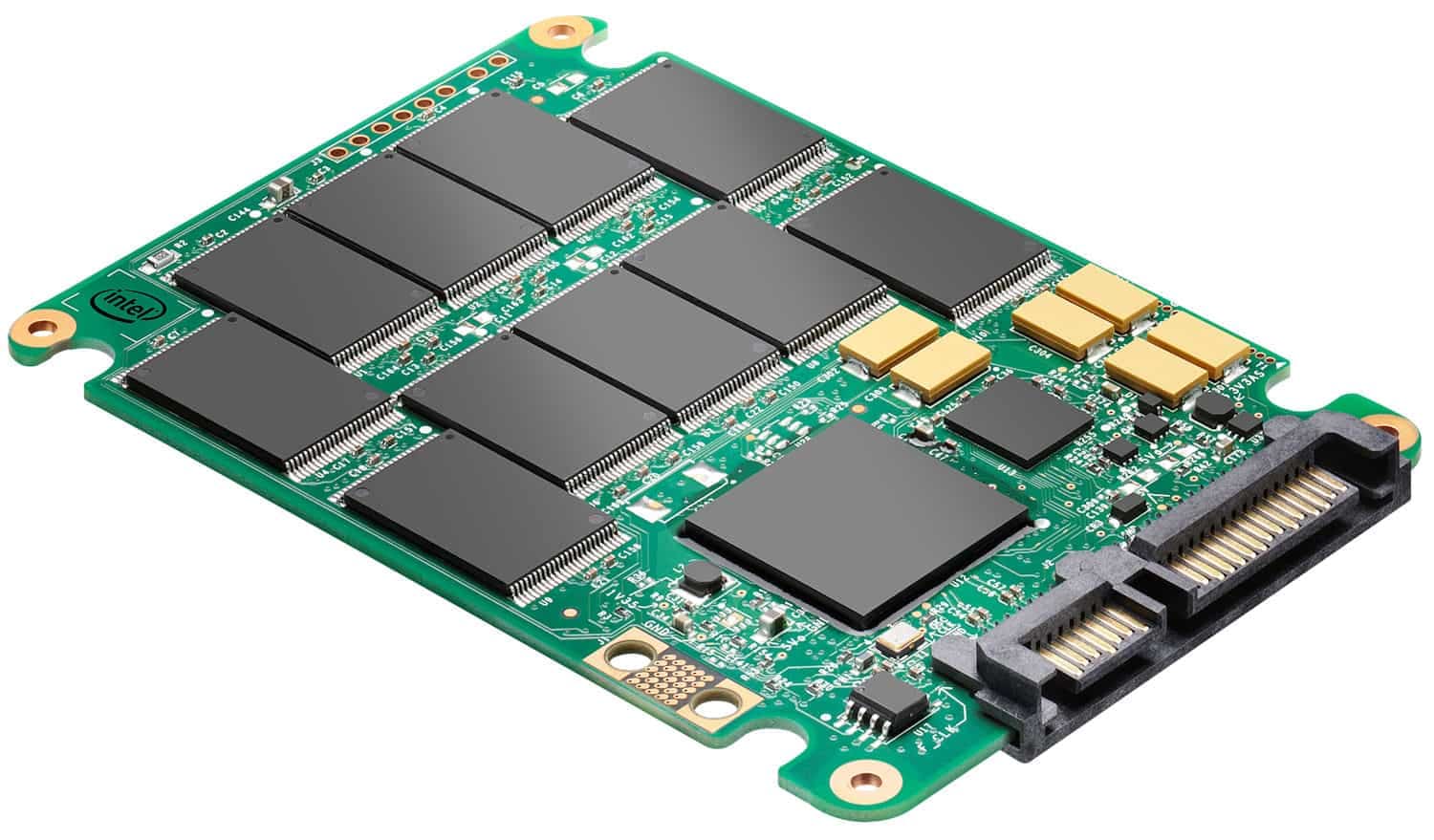
An SSD Drive, also known as a Solid State Drive, utilizes NAND-based flash memory to store data, offering faster access speeds and improved performance compared to traditional hard disk drives.
SSDs are designed with no moving parts, making them more durable and resilient to physical shock or damage. The NAND flash memory in an SSD works by storing data in memory cells, organized in pages and blocks.
When data is written on an SSD, the electrical charge in the memory cells is adjusted to represent binary data.
Compared to mechanical hard drives, SSDs have significantly lower latency, allowing for quicker data access and improved overall system responsiveness. This means users can experience faster boot times, quicker application loading, and smoother multitasking capabilities.
How is an SSD Drive Different from a Traditional Hard Disk Drive?
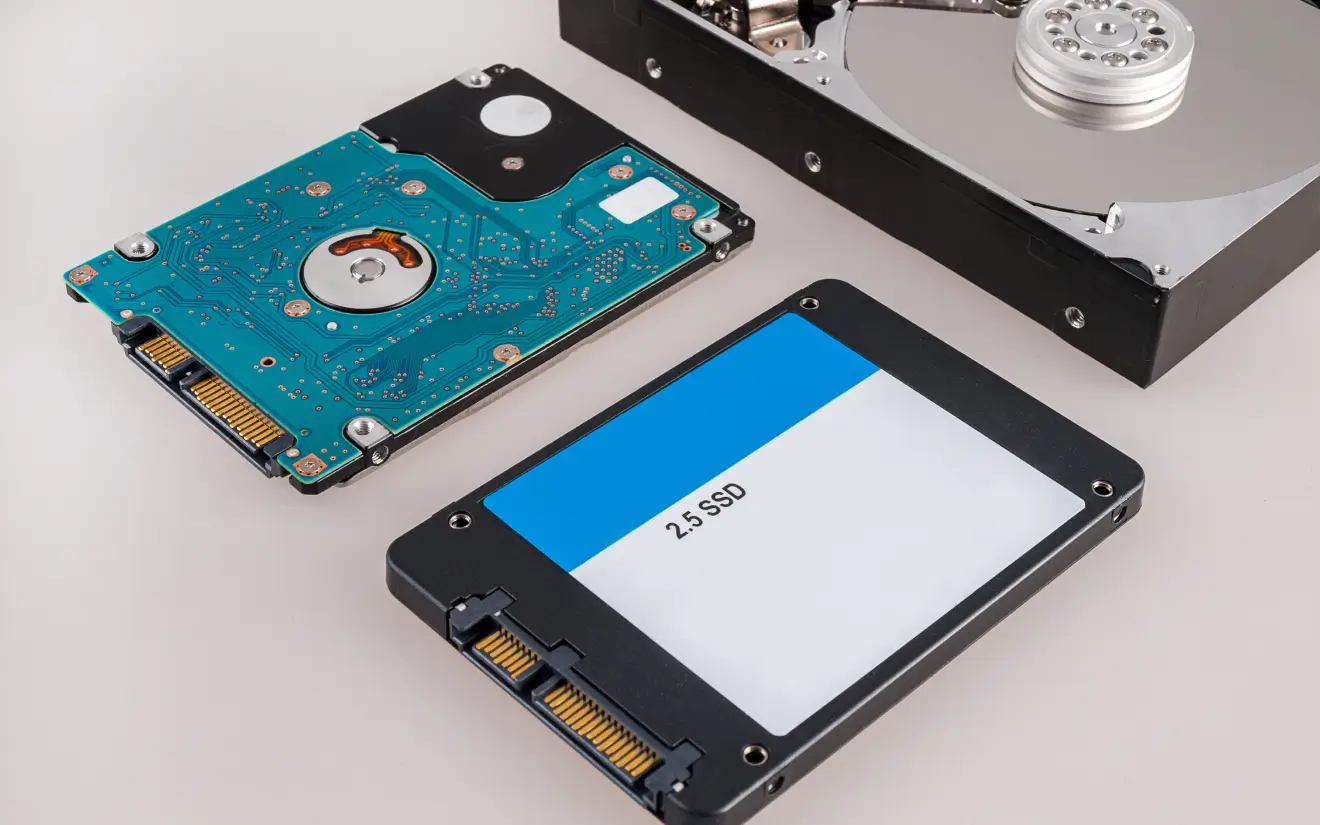
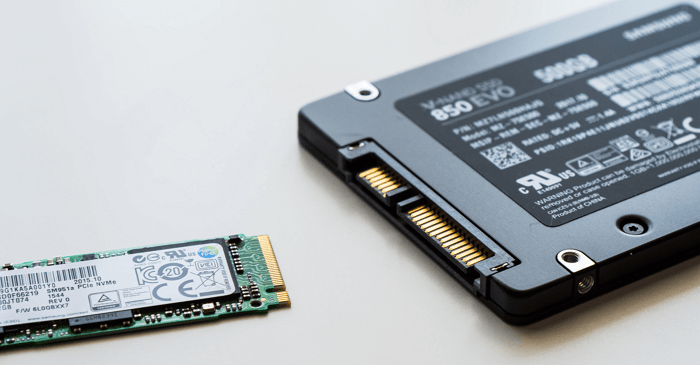
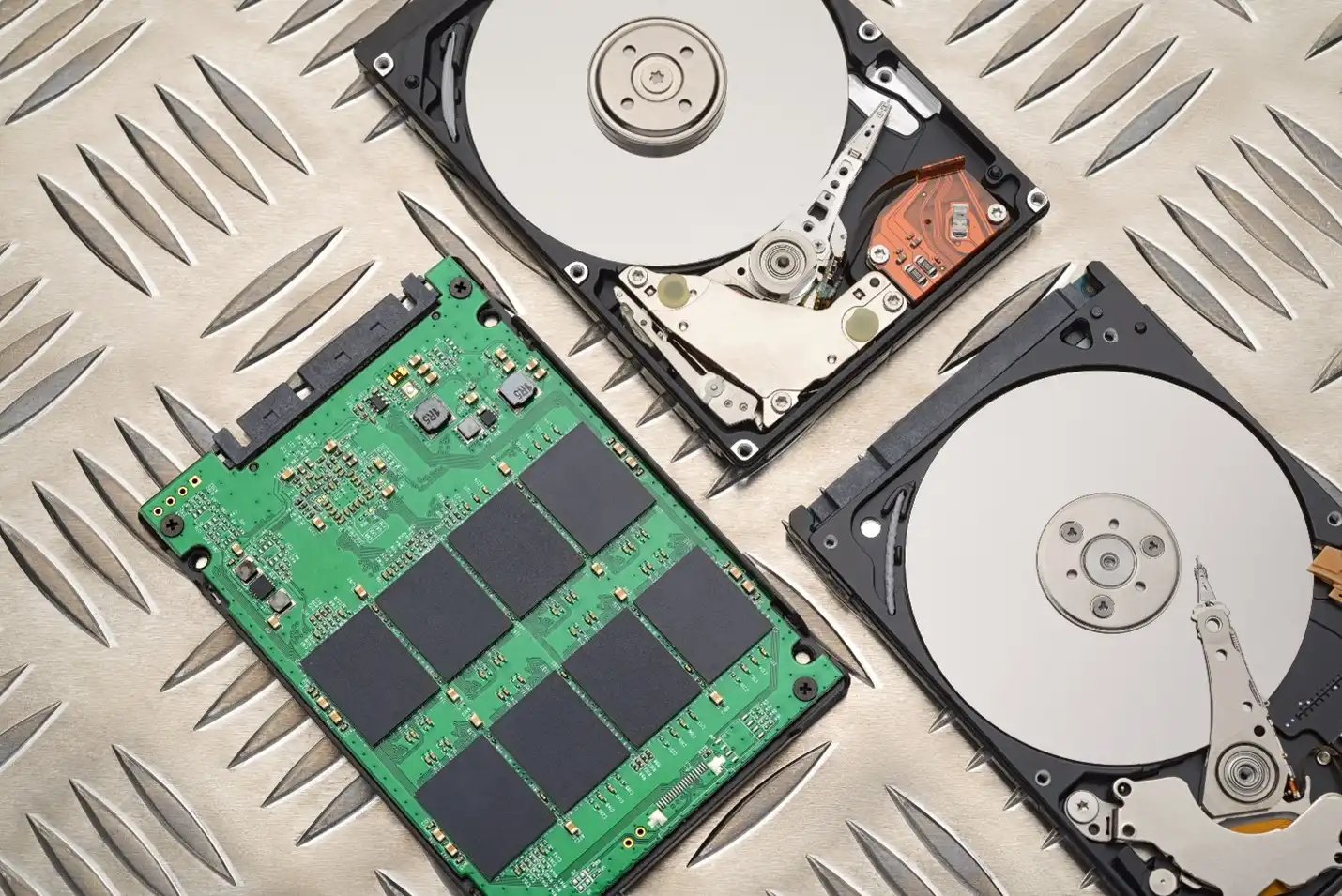
An SSD Drive differs from a Traditional Hard Disk Drive (HDD) primarily in the storage mechanism used; SSDs store data on NAND flash memory chips, while HDDs rely on rotating magnetic platters to read and write data.
One of the key advantages of SSDs over HDDs is their remarkable speed. Due to the absence of moving parts, SSDs can access and process data at a significantly faster rate, leading to quicker boot times and overall system performance.
This technological difference translates into smoother multitasking and reduced loading times for applications and files. The durability of SSDs is noteworthy, as they are more resistant to physical impacts and temperature variations compared to HDDs.
Speed
One of the key differences between an SSD Drive and a Traditional Hard Disk Drive (HDD) is the speed factor; SSDs offer significantly faster read and write speeds, leading to quicker data access and improved system performance.
Having enhanced speed in computing is not just a luxury but a necessity in today’s fast-paced digital world. Devices equipped with SSDs experience a substantial improvement in responsiveness, faster boot times, and quicker loading speeds of applications compared to HDDs.
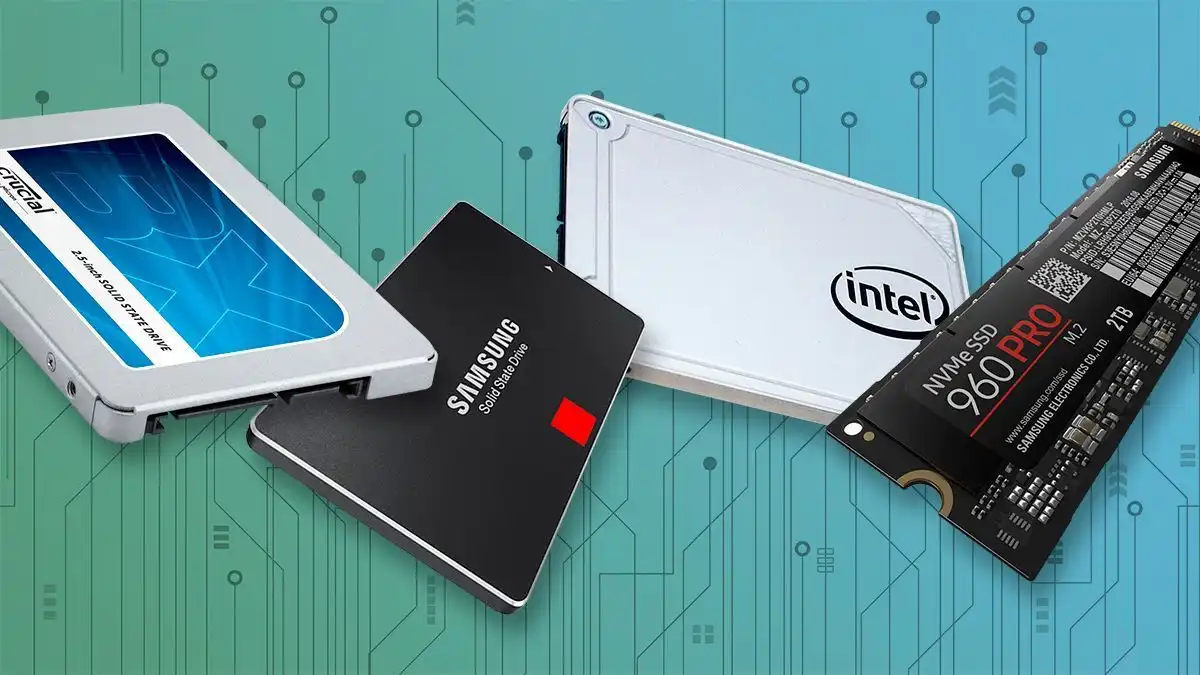
Brands like Crucial and Samsung have established themselves as leaders in the SSD market, offering models that push the boundaries of speed and performance.
Durability
In terms of durability, SSDs have an advantage over Traditional Hard Disk Drives (HDDs) as they lack moving parts, making them more resistant to physical shock, vibrations, and mechanical failures.
SSDs, with their solid-state design, offer increased reliability and longevity compared to HDDs. This is due to the absence of spinning platters and read/write heads, which are vulnerable to wear and tear over time.
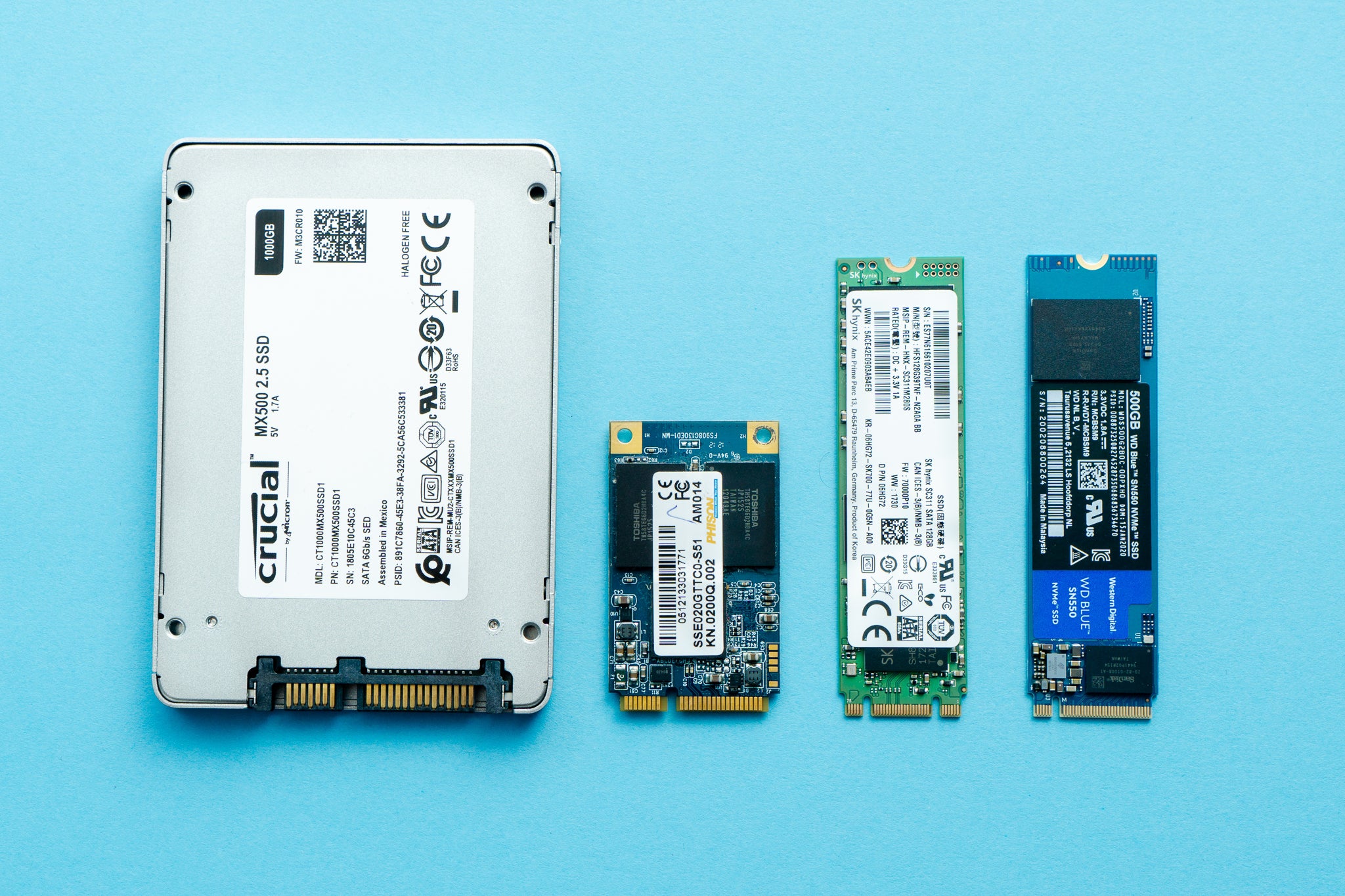
Toshiba and Microsoft are prominent industry players that manufacture high-quality SSDs known for their robustness and performance.
These companies invest heavily in research and development to improve the durability and efficiency of their SSDs, ensuring customers benefit from long-lasting and reliable storage solutions.
Noise and Vibration
Compared to Traditional Hard Disk Drives (HDDs), SSDs operate silently without any noise or vibration, providing a quieter computing experience ideal for environments where noise levels need to be minimized.
Apple and M.2 SSDs have been at the forefront of innovation in this aspect, introducing cutting-edge technologies that prioritize noise reduction.
This means that tasks such as data access, file transfers, and application loading can be performed seamlessly and efficiently without the distractions of whirring or clicking sounds.
With the noiseless operation of SSDs, users can focus better on their work, enhancing productivity and concentration. The absence of mechanical parts in SSDs not only results in quiet operation but also contributes to overall durability and faster data access speeds.
Energy Efficiency
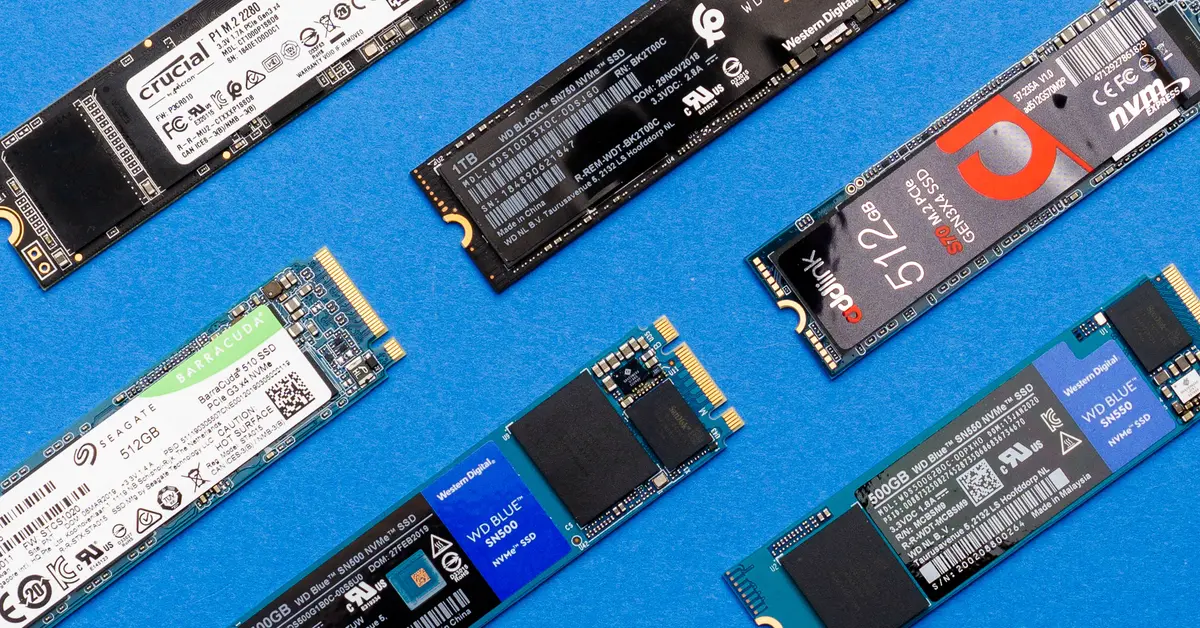
SSDs are more energy-efficient than Traditional Hard Disk Drives (HDDs) due to their lack of moving parts, resulting in lower power consumption, extended battery life for laptops, and reduced heat generation.
These benefits have made SSDs the preferred choice for many manufacturers looking to create energy-efficient devices. The power efficiency of SSDs translates to longer usage times on a single charge for laptops and other portable devices, making them ideal for users who are constantly on the move.
The use of SSDs in USB drives provides a compact and energy-efficient storage solution for individuals needing portable data storage without compromising on performance.
The impact of SSDs on reducing power consumption and enhancing battery life in various devices cannot be overstated.
Why Should Businesses Upgrade to SSD Drives?
Businesses should consider upgrading to SSD Drives for their computing infrastructure to enhance performance, productivity, and overall efficiency, reducing maintenance costs and downtime.
One of the key advantages of SSDs, such as those offered by Crucial and Apple, is their lightning-fast data access speeds, enabling quicker boot-up times, seamless application loading, and swift data transfers.
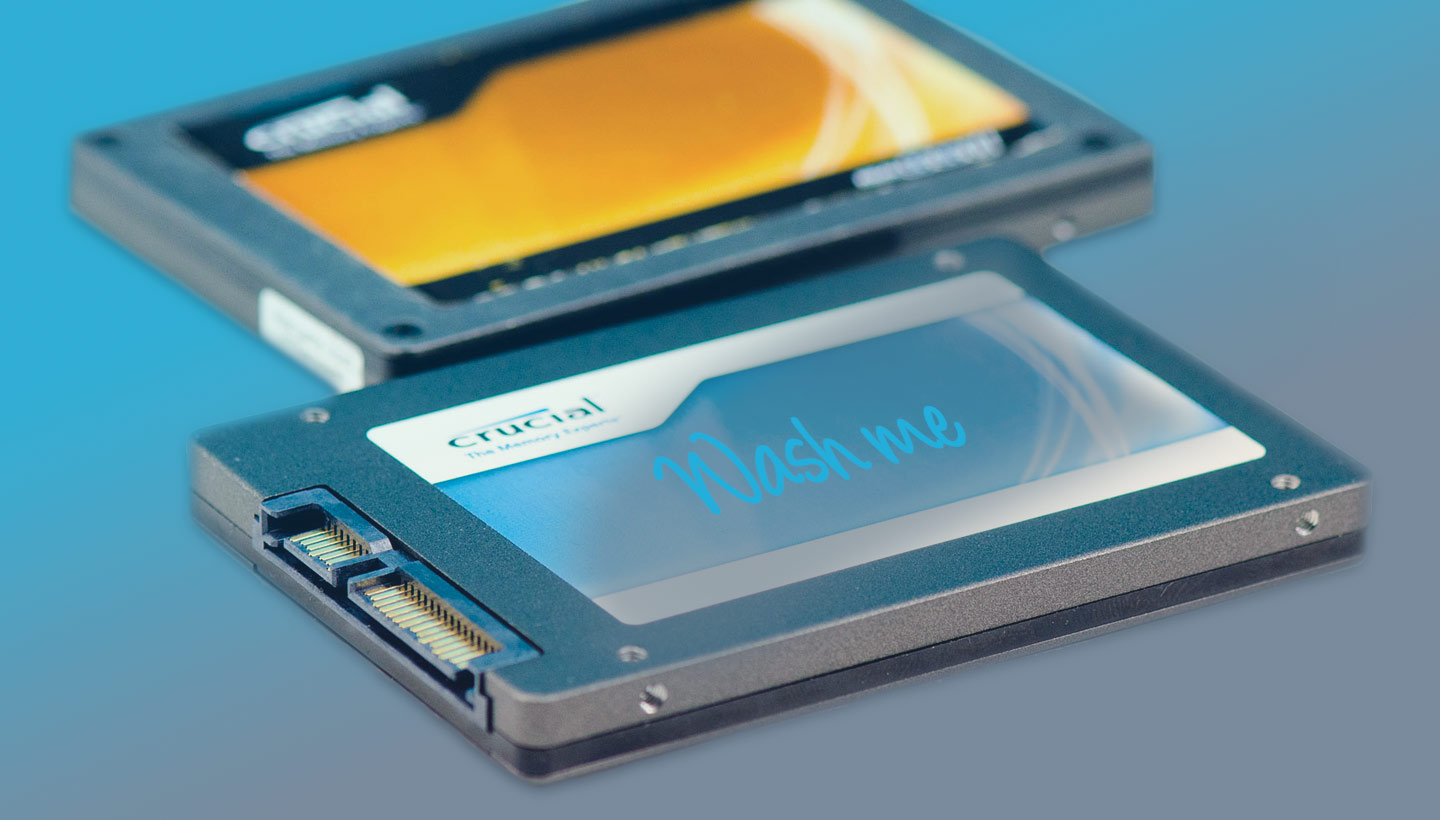
SSDs are much more durable than traditional hard drives, with no moving parts that can easily break down, enhancing system reliability and reducing the risk of data loss.
These qualities not only boost productivity by ensuring swift operations but also decrease operational expenses in the long run due to lower maintenance costs and reduced downtime.
Time Saving Benefits
Upgrading to SSD Drives offers businesses significant time-saving benefits by reducing boot-up times, accelerating application launches, enhancing file transfer speeds, and minimizing maintenance-related downtime.
By switching to SSDs, companies in Norfolk County can experience a notable increase in productivity due to the improved efficiency in accessing and storing data.
The quicker data retrieval with SSDs can boost workflow efficiency, aiding employees in completing tasks more swiftly. The enhanced durability of SSDs compared to traditional hard drives can lead to fewer hardware failures, resulting in lower repair costs and reduced disruptions to operations.
These advantages make SSD upgrades a valuable investment for businesses looking to optimize their processes and stay competitive in the digital landscape.
Increased Productivity
By upgrading to SSD Drives, businesses can enhance productivity levels among employees by providing faster access to data, reducing waiting times, and improving system responsiveness for seamless workflow operations.
SSD upgrades offer a significant advantage when it comes to increasing workforce efficiency. With faster data access, employees can complete tasks more swiftly, leading to a boost in overall productivity.
This improvement in system performance translates to reduced downtimes and smoother operations, allowing employees to focus on their work without interruptions.
PCs are commonly used in business settings, and by integrating SSD technology, these devices can perform at optimal levels, ensuring that employees have the resources they need to work efficiently.
Cost Savings
Businesses can achieve significant cost savings in the long run by transitioning to SSD Drives, as these drives require less maintenance, have lower failure rates compared to HDDs, and reduce the need for frequent RAM upgrades.
In comparison, HDDs are more prone to failure due to their mechanical components. The moving parts in HDDs are susceptible to wear and tear, leading to higher maintenance costs over time. SSDs, on the other hand, are known for their stability and longevity, resulting in fewer unplanned expenses for businesses.
Reduced maintenance costs associated with SSDs are a key factor in this cost-saving advantage. With no moving parts, SSDs are more durable and reliable than traditional HDDs, translating to fewer instances of hardware failure and decreased downtime for businesses.
The improved reliability of SSDs means that companies can spend less on constantly replacing failed drives, reducing the overall cost of ownership.
In comparison, HDDs are more prone to failure due to their mechanical components. The moving parts in HDDs are susceptible to wear and tear, leading to higher maintenance costs over time. SSDs, on the other hand, are known for their stability and longevity, resulting in fewer unplanned expenses for businesses.
How Can Upgrading to SSD Drives Save Time for Businesses?
Upgrading to SSD Drives can save businesses valuable time through faster boot-up processes, quicker application launches, improved file transfer speeds, and reduced maintenance-related downtime, enhancing overall operational efficiency.
For instance, Samsung and Crucial, two industry-leading brands, offer a range of SSD options tailored to meet specific business needs.
SSD upgrades not only boost system performance but also extend the lifespan of computers, reducing the need for frequent replacements and enhancing cost-effectiveness in the long run.
Incorporating SSD technology can revolutionize data processing, enabling employees to work seamlessly on data-intensive tasks without experiencing lag or delays.
As a result, businesses can achieve higher productivity levels and meet demanding project deadlines with ease, gaining a competitive edge in their respective industries.
Faster Boot-Up Time
Upgrading to an SSD Drive results in significantly faster boot-up times for computers, allowing businesses to start their systems quickly and efficiently without delays or performance bottlenecks.
In today’s fast-paced digital landscape, the speed at which a system powers up can make a significant difference in productivity and overall user experience.
With SSDs, the time taken for a PC or Apple device to initiate and be ready for use is drastically reduced, enabling employees to dive into their work almost instantaneously. This enhanced efficiency is particularly advantageous for businesses that rely on swift access to their technology resources to serve customers or stay ahead of competitors.
PCs and Apple devices, commonly used in professional settings, can tremendously benefit from the accelerated boot times provided by SSDs.
Quicker Application Launches
With SSD Drives, businesses can experience rapid application launches, enabling employees to access software and tools swiftly, enhancing workflow efficiency and reducing waiting times for optimal productivity.
SSD upgrades significantly decrease the time it takes for applications to load on PCs, which directly translates to improved employee efficiency and overall workflow performance.
By minimizing the waiting period during software launches, employees can seamlessly transition between tasks and projects, boosting their productivity levels and allowing them to focus more on essential work rather than waiting for applications to open.
This enhanced speed also leads to a smoother user experience, as repetitive tasks that involve launching various applications become quicker and more seamless.
Improved File Transfer Speeds
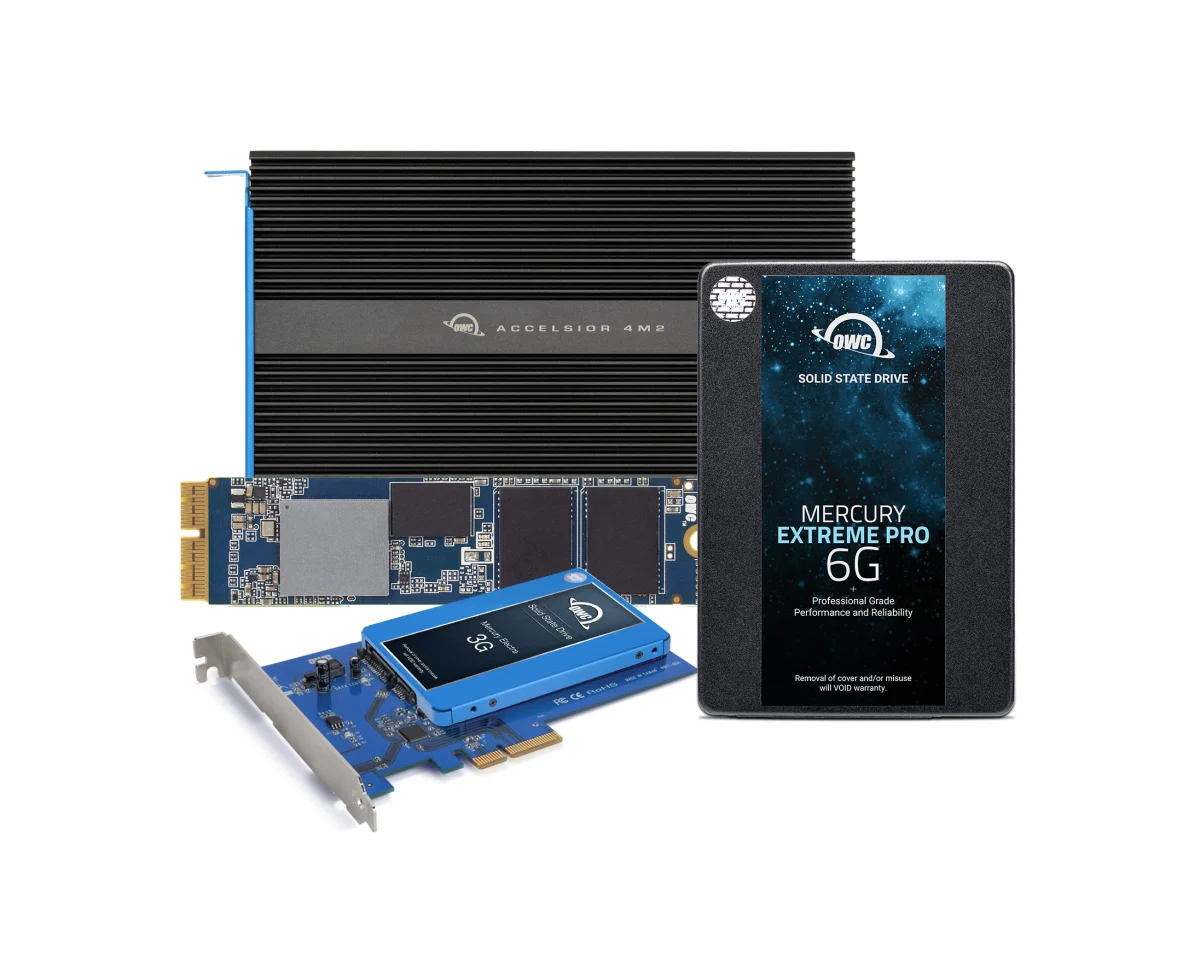
Upgrading to SSD Drives leads to enhanced file transfer speeds, allowing businesses to move data quickly and efficiently between storage devices, boosting collaboration and data sharing capabilities.
Improved file transfer speeds offered by SSDs can revolutionize the way teams work together, facilitating seamless sharing of large files and reducing waiting times. This technology not only benefits internal teams but also enhances communication with clients and partners, making collaboration more dynamic and efficient.
Companies like Apple and Microsoft have already embraced SSD technology, recognizing the significant advantages it brings in terms of productivity and innovation. By utilizing the strength of SSDs, businesses can stay ahead in the competitive landscape, ensuring smooth operations and streamlined workflows.
What Types of Businesses Can Benefit from Upgrading to SSD Drives?
Different types of businesses, including small enterprises, medium-sized companies, large corporations, and remote/mobile workers, can all benefit from upgrading to SSD Drives to enhance their operational efficiency and performance.
SSD upgrades can significantly improve the loading times and responsiveness of systems, leading to smoother operations and increased productivity. Small enterprises can experience faster data access, boosting their ability to handle multiple tasks concurrently.
Medium-sized companies can benefit from the reliability and durability of SSDs, ensuring seamless data management. Large corporations will appreciate the scalability of SSD solutions, allowing for efficient storage expansion as per their growing needs.
Small Businesses
Small businesses stand to gain significant performance improvements by upgrading to SSD Drives, as these upgrades can boost operational speed, data access, and overall efficiency for streamlined workflows.
One of the key advantages of SSD upgrades for small businesses is the drastic improvement in boot and load times of PCs. This means crucial software applications can be accessed faster, leading to increased productivity.
SSDs offer enhanced reliability and durability compared to traditional HDDs, reducing the risk of data loss and downtime. The speed and efficiency gained by utilizing SSDs can result in quicker file transfers, quicker backups, and overall smoother operational processes for small business owners.
Medium-Sized Businesses
Medium-sized businesses can optimize their computing infrastructure and productivity levels by transitioning to SSD Drives, as these drives offer faster data processing, increased reliability, and better data security with NAND flash memory technology.
SSDs bring about a significant boost in overall system performance, enabling faster boot times, application loading, and data access. This speed is crucial for businesses as it directly translates to increased efficiency and productivity.
The use of NAND flash memory in SSDs provides enhanced data security measures, making them less susceptible to data loss or corruption compared to traditional HDDs.
Large Corporations
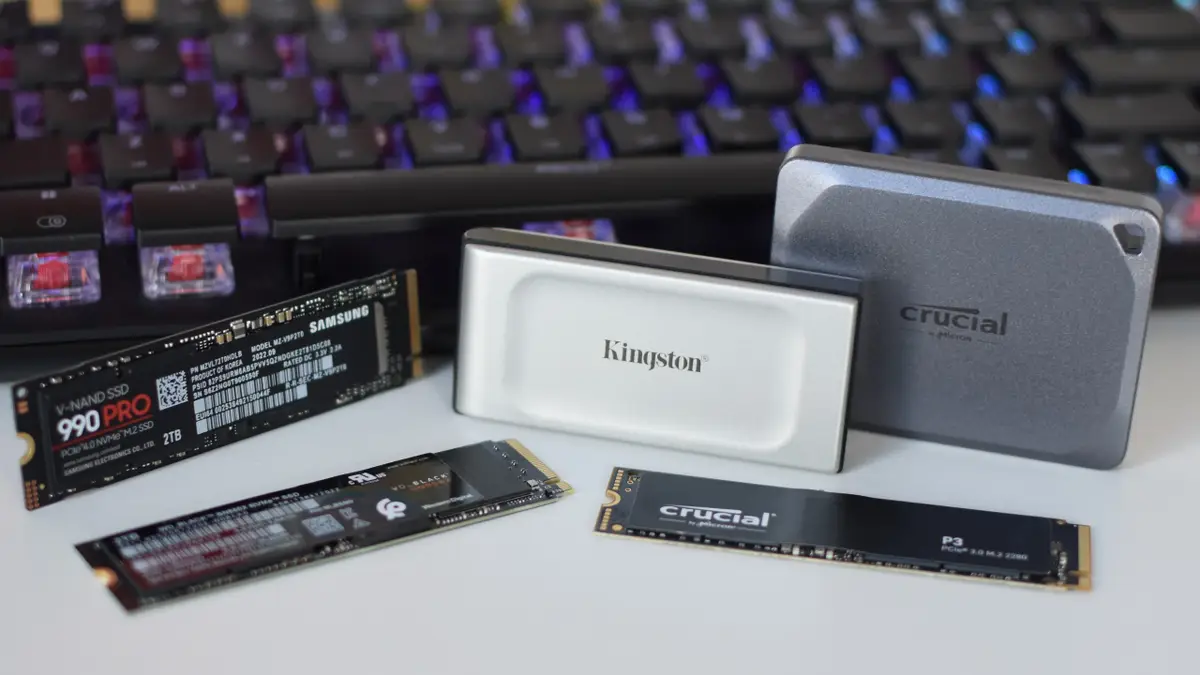
Large corporations can enhance their IT infrastructure and operational efficiency by upgrading to SSD Drives, reducing data access times, enhancing system responsiveness, and improving overall performance without the need for frequent RAM upgrades.
SSDs also offer a durable storage solution, reducing the risk of data loss and system failures, which is crucial for businesses handling sensitive information.
The fast read and write speeds of SSDs significantly impact data processing speed, enabling faster application launch times and quicker file transfers.
By incorporating SSDs into their systems, organizations can streamline their operations, increase productivity, and provide a seamless user experience, ultimately leading to improved customer satisfaction and competitive advantage in the market.
Remote and Mobile Workers
Remote and mobile workers can experience enhanced productivity and efficiency by upgrading to SSD Drives in their devices, ensuring faster data access, smoother multitasking, and improved system performance on the go.
This upgrade translates into quicker boot-up times, reduced loading periods for applications and files, and a more responsive computing experience overall, which is crucial when working remotely or on the move.
With SSDs, the risk of data loss due to physical jolts is minimized, providing added data security and peace of mind for the users.
Considering that PCs are the primary tool for these professionals, the seamless integration of SSDs contributes significantly to their workflow, file management, and tasks execution.
How Can Businesses Upgrade to SSD Drives?
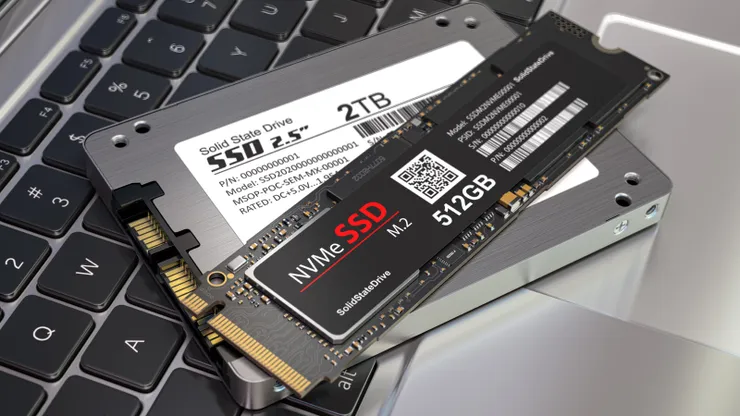
Businesses have multiple options to upgrade to SSD Drives, including do-it-yourself (DIY) installations for tech-savvy individuals, professional installation services for convenience, and selecting the right SSD model such as Crucial for optimal performance.
When considering a DIY installation, businesses can purchase the necessary SSDs and follow step-by-step guides or video tutorials available online. This method is cost-effective and allows for a hands-on approach, but it requires technical knowledge and attention to detail.
On the other hand, opting for professional installation services can provide peace of mind and ensure the SSDs are installed correctly by experts. Selecting the right SSD model, like Crucial, is crucial for enhancing speed, reliability, and storage capacity tailored to specific business needs.
DIY Installation
Businesses can opt for do-it-yourself (DIY) installations when upgrading to SSD Drives, give the power toing users to install the new drives in their computers and laptops with clear instructions and minimal technical expertise required.
One of the key benefits of opting for a DIY approach for SSD upgrades is the cost-effectiveness it brings. By following the step-by-step guidance for installing SSDs in personal computers, businesses can save on professional installation fees.
Most PCs are designed to easily accommodate SSDs, making it a convenient option for those looking to boost their system’s performance.
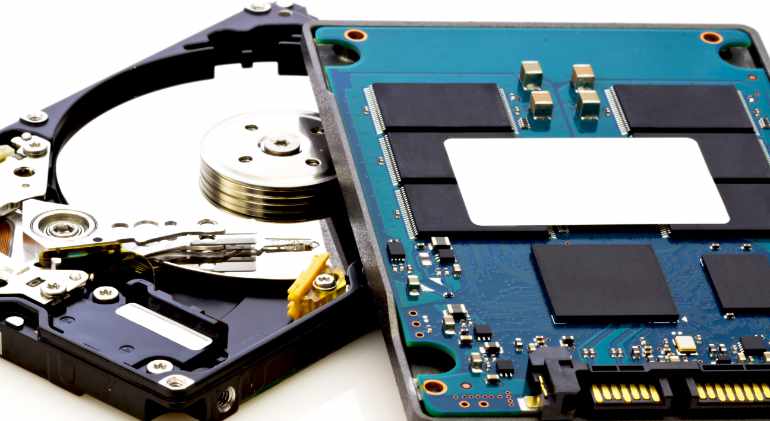
Ensure you have the necessary tools handy, such as a screwdriver and an anti-static wrist strap. Next, power down the computer and disconnect all cables before opening the case.
Locate the existing hard drive and carefully remove it, then slot in the new SSD and secure it in place. Reassemble the computer, power it up, and follow any setup prompts to initialize the new drive.
Professional Installation
Businesses can opt for professional installation services when upgrading to SSD Drives, relying on experienced technicians to seamlessly integrate the new drives into their systems for optimal performance, with brands like Samsung offering reliable installation services.
Professional installation of SSD drives brings numerous benefits to businesses beyond just the convenience factor. Expert technicians have the knowledge and precision required to ensure that the installation process is smooth and error-free, minimizing the risk of any technical glitches down the line.
By entrusting the installation to professionals, businesses can rest assured that their SSD drives will be set up correctly, maximizing their efficiency and longevity.
Choosing the Right SSD Drive for Your Business
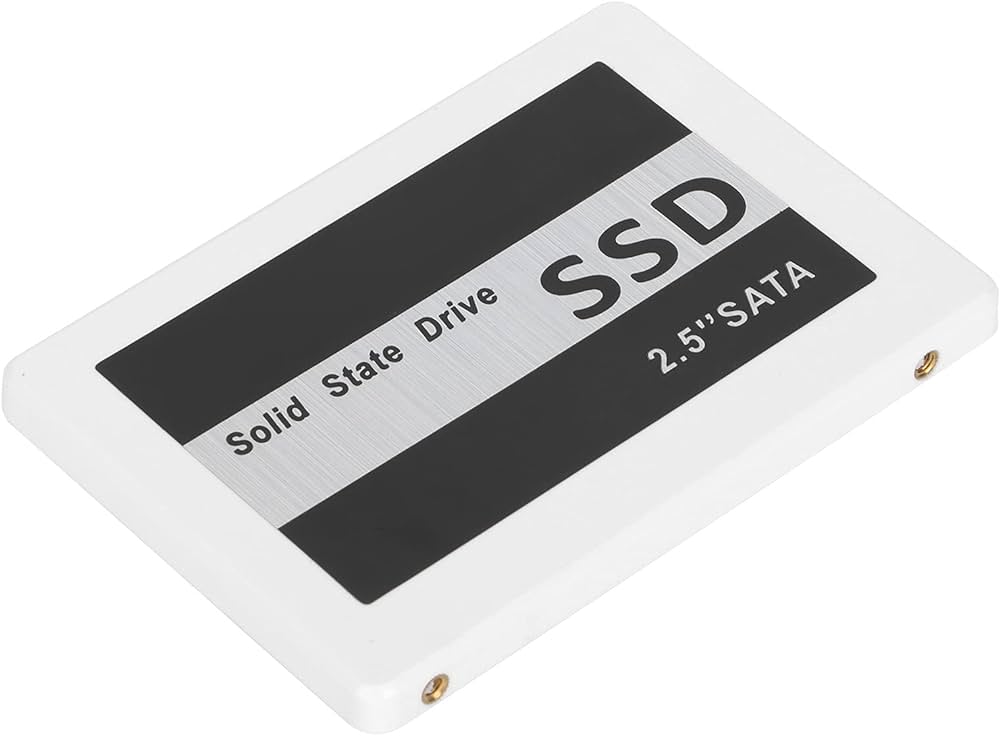
Selecting the right SSD Drive is crucial for businesses looking to upgrade, as factors like storage capacity, speed requirements, and reliability play a significant role in choosing the ideal SSD model, with brands like Toshiba offering a range of options.
When evaluating SSD options, businesses must assess their specific needs to determine the most suitable storage solution.
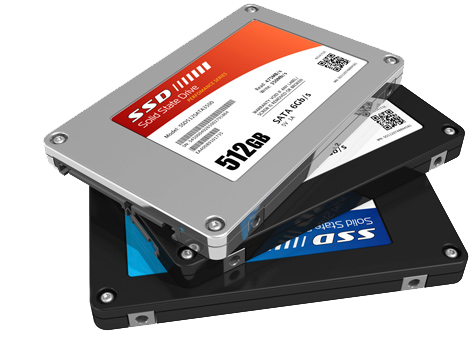
Storage capacity is a key consideration, as it dictates how much data can be stored on the drive. Solid-state drives come in various capacities, ranging from a few hundred gigabytes to multiple terabytes, catering to different storage requirements.
Speed performance is another crucial factor to contemplate. Faster read and write speeds result in quicker data access and improved overall system responsiveness. Businesses handling large datasets or demanding applications may benefit from high-speed SSDs.
Beyond capacity and speed, reliability stands out as a paramount factor when selecting an SSD. The dependability of the drive ensures consistent performance and safeguards against data loss, making it a vital consideration for businesses seeking uninterrupted operations.
Given Toshiba’s reputation for quality and diverse SSD offerings, exploring their range can provide businesses with dependable storage solutions that align with their performance requirements.
Frequently Asked Questions (FAQs)
What are the time saving benefits for businesses of upgrading their PC to SSD drives?
Upgrading to SSD drives can significantly improve the speed and performance of your computer, resulting in time saved for your business. With faster boot times and application loading, your employees can increase their productivity and complete tasks more efficiently.
How much time can businesses save by upgrading to SSD drives?
The time-saving benefits of upgrading to SSD drives vary depending on the specific needs and usage of each business. However, studies have shown that businesses can save up to 30 minutes per day per employee with SSD drives compared to traditional HDDs.
Will upgrading to SSD drives require additional time for installation?
While SSD drives may have a higher upfront cost, the installation process is relatively quick and can be done by a professional computer repair specialist in a matter of hours. The time and productivity saved in the long run will outweigh the initial installation time.
How do SSD drives improve the speed of my computer?
Unlike traditional HDDs, SSD drives have no moving parts, allowing for faster data access and transfer. This results in quicker boot times, application loading, and overall better performance for your business computers.
Can upgrading to SSD drives also save my business money?
While the primary benefit of upgrading to SSD drives is time saved, it can also lead to cost savings for businesses. With faster computers, employees can complete tasks more efficiently, resulting in increased productivity and potentially reducing the need for additional staff or overtime hours.
Are there any other benefits for businesses to upgrade to SSD drives?
In addition to time and cost savings, SSD drives are also more durable and reliable than HDDs. This means less downtime for businesses due to hard drive failures and potentially saved costs on data recovery services.


